Vs To How Tutorial
User interface view the documentation for vs code. setup review documentation for getting up and going for walks with vs code, together with platform precise setup. keyboard shortcuts customise your personal shortcuts, down load a reference sheet, or deploy a keymap extension. This video academic will display you a way to use google hangouts meet. learn to communicate in google meet thru text video conferencing, screen sharing and chat.
Educational Wikipedia
This ssh educational will cowl the fundamentals of ways does ssh paintings, together with the underlying technologies used by the protocol to offer a secured technique of far flung access. it's going to cover the distinct layers and sorts of encryption used, together with the purpose of every layer. how does ssh paintings. in case you’re the use of linux or mac, then using ssh is quite simple. Initiate a capture from the seize window, which contains 3 tabs: picture, video, and all-in-one. the tabs can help you select unique capture settings and make things happen even faster. all-in-one is a flexible option, but if you understand the form of capture you need, you can usually pick the. Introductory films. begin your journey using visible studio code with this set of introductory movies! those motion pictures are designed to give you a top level view of vs code's various functions and quick get you familiar with them. vs code comes out of the field with support for plenty of languages like javascript and typescript.
A way to wear a newborn inside the moby wrap educational showing each how the wrap looks with a new child as well as a toddler. that is clearly an vital baby productespecially for minimalist mothers!. Visual studio extension improvement. create add-ons and extensions for visual studio, which include new instructions, code analyzers, and device home windows. description. add the sdks and gear you want to create new instructions, code analyzers, tool windows, and language services the usage of c. then, proportion your extension with the community within the visible studio market.
Html Tutorial W3schools
Browse the modern adobe xd tutorials, video tutorials, fingers-on initiatives, and extra. starting from novice to superior, those tutorials provide fundamentals, new features, plus tips and techniques. The differences among html and html5. html is the maximum typically used markup language a device designed to technique, define, and present textual content with the aid of embedding tag and textual content annotations within styled files to make textual content manipulation clean for the pc. Examples in each bankruptcy. this html educational incorporates masses of html examples. with our on-line html editor, you could edit the html, and click on on a button to view the result. A tutorial is a technique of shifting know-how and may be used as a part of a studying manner. more interactive and unique than a book or a lecture, an instructional seeks to educate with the aid of example and supply the statistics to finish a certain vs to how tutorial challenge.. an instructional can be taken in lots of forms, ranging from a set of instructions to finish a task to an interactive problem fixing session (normally in.
Get Began Tutorial For Python In Visible Studio Code
Study everything you need to recognize approximately the usage of microsoft groups in 15 minutes. aya tange from microsoft groups walks through the end-to-quit user stories with a complete demo tutorial: from chat and. Getting started with java in vs code. this academic shows you a way to write and run hello global application in java with visible studio code. it also covers a few advanced capabilities, which you could discover by analyzing other files on this phase. for a top level view of the functions available for java in vs code, see java language assessment.
A way to use google meet designated educational youtube.
Visual Studio Code Academic For Beginners Introduction
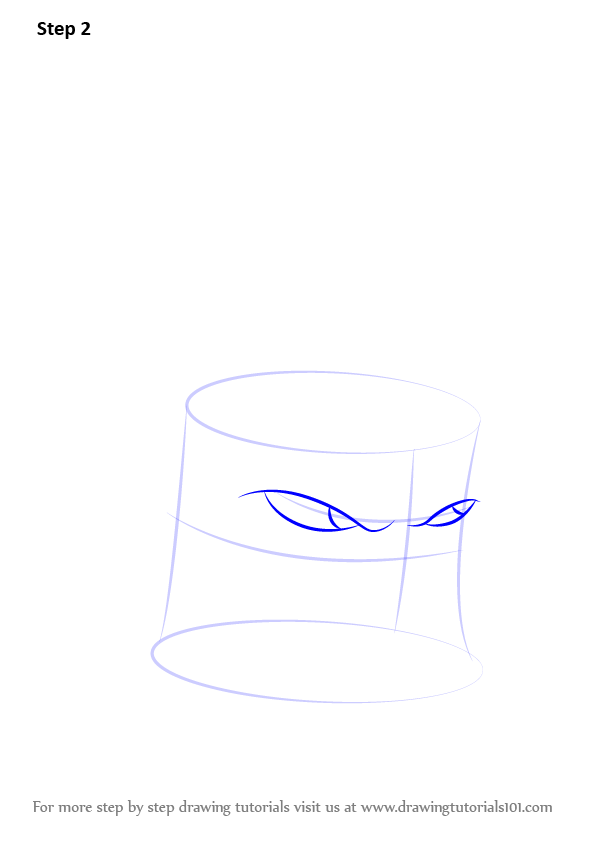
The educational assumes you're using visible studio as the improvement environment. if you're the use of every other improvement environment, ignore the visible studio-specific instructions. for sample wcf programs that you may download and run, see home windows communique foundation samples. for an advent to the samples, see getting started out pattern. The venn diagram showing instructions and tutorials is a large circle representing classes engulfing a smaller one representing tutorials (unluckily i haven’t mastered drawing but). in different phrases, all tutorials are instructions but no longer all instructions are tutorials. Here's my tutorial at the freddy vs jason hockey mask. there are some different variations during the film so i selected the plain one. hope you men enjoy! in case you preferred this tutorial, please. Getting began with java in vs code. this academic shows you the way to write and run hiya international program in java with visible studio code. it also covers some superior features, which you may explore with the aid of analyzing different files in this phase. for an overview of the functions to be had for java in vs code, see java vs to how tutorial language overview.
That Means Differences Between Academic Guide And How
Watch it played is a chain designed to teach and play games. in this episode we'll discover ways to play the academic situation. see all of the movies coaching you. Hi, that is a excellent article to get a beginner an information of com with real sample code to illustrate the key concepts. i have hassle building the pattern code while i tried it with msvs 2015 seemingly seems 'coz of the undertaking settings; the code become firstly created a long time returned (in 2000) presumably with a a miles older model of vs.
Python seaborn tutorial for beginners datacamp.
There are 3 other ways you may run python code inside vs code: right-click anywhere in the editor window and choose run python record in terminal (which saves the report routinely): select one or greater strains, then press shift+enter or proper-click and pick run selection/line in python terminal. Wpbeginner weblog the important vicinity for all our wordpress tutorials. for more discussions, you could need to join our loose facebook organization wpbeginner interact. with greater than 24,000 participants, the organization is targeted on supporting novices and non-techy users do more with wordpress. After you are familiar with the fundamentals of vs code, you may then comply with any of the programming vs to how tutorial tutorials on python. org in the context of vs code for an advent to the language. when you have any problems, feel free to file an trouble for this academic inside the vs code documentation repository.
No matter in case you are searching out an educational, a route, a crash direction, an introduction, an online academic or any associated video, we attempt our great to provide you the content material you are seeking out. This educational is designed for people who choose to research by using doing. in case you prefer mastering concepts from the floor up, take a look at out our step-with the aid of-step manual. you may discover this academic and the guide complementary to every other. the tutorial is divided into numerous sections: setup for the academic will give you a place to begin to comply with the academic. Creation. visual studio is an included improvement environment (ide). the “incorporated” part of ide manner that visual studio consists of capabilities that complement each thing of software development:. You have got completed this seaborn academic for beginners. in case you are interested by interactive visualizations, take a look at out datacamp’s interactive information visualization with bokeh path! on this direction, you’ll discover ways to create numerous, wealthy, facts-pushed, and interactive visualizations with bryan van de ven, developer of bokeh and software.
Based totally on revel in with the phrases in computing/technology, no longer necessarily the same as preferred utilization: a tutorial is a step-through-step vs to how tutorial stroll-thru for someone with no experience. a guide gives fundamental statistics, now not specified guidance. This academic shows a way to develop a simple application using visual studio 2017. we’ll go through a way to set up visual studio with the workloads you’ll want to construct this c++ console app and introduce you to the debugger. time to finish. 15 mins. state of affairs. a simple software written in c++ that prints, “hey, international! ” to the.
Visual studio code with the c extension installed. for statistics approximately the way to set up extensions on visual studio code, see vs code extension market. the. internet middle 3. 1 sdk or later; create the app. open visual studio code. create a task. pick out document > open folder/open from the primary menu, create a helloworld folder, and click pick folder/open. Wiki:academic. an instructional is one approach of moving understanding and may be used as part of vs to how tutorial a mastering procedure. greater interactive and precise than a e book or a lecture; an educational seeks to train through example and supply the records to finish a certain undertaking.


Komentar
Posting Komentar