To How Zoom Install
See greater videos for a way to installation zoom. A whole beginners manual to zoom (2020 update) the whole thing you want to understand to get began period: 36:fifty seven. ben balden stay a happier, fuller lifestyles 393,568 views 36:fifty seven. Jul 31, 2015 · a whole beginners guide to zoom (2020 update) the whole lot you need to recognize to get started out duration: 36:fifty seven. ben balden stay a happier, fuller existence 393,568 views. This video educational become created to help newbie users deploy the zoom video conferencing software on a windows 10 pc. terrific unique thanks to the alzheimer society of toronto for helping.
Download install zoom meetings without spending a dime (home windows).
As soon as set up, you will need to log into your zoom account, which can be installation via the zoom website if you don't already have one. once created, you can use zoom as regular for all of your video. Even as installing zoom app on your home windows 10 computer in case you encounter with any problem, then don’t hesitate to ask us in via the remark field. you may additionally ask different question related to the zoom app. if you have some other zoom alternative that you assume is better than the zoom, experience unfastened to share it inside the commenting segment. After may 30, 2020, all zoom applications on older versions will get hold of a pressured improve whilst looking to be part of meetings as gcm encryption can be completely enabled across the zoom platform. study more on a way to update your zoom utility or replace now. want to down load and deploy app to sue zoom it's going to mechanically activate to down load and install the app what is document records in home windows 10 and the way to enable it ? document history is turned off
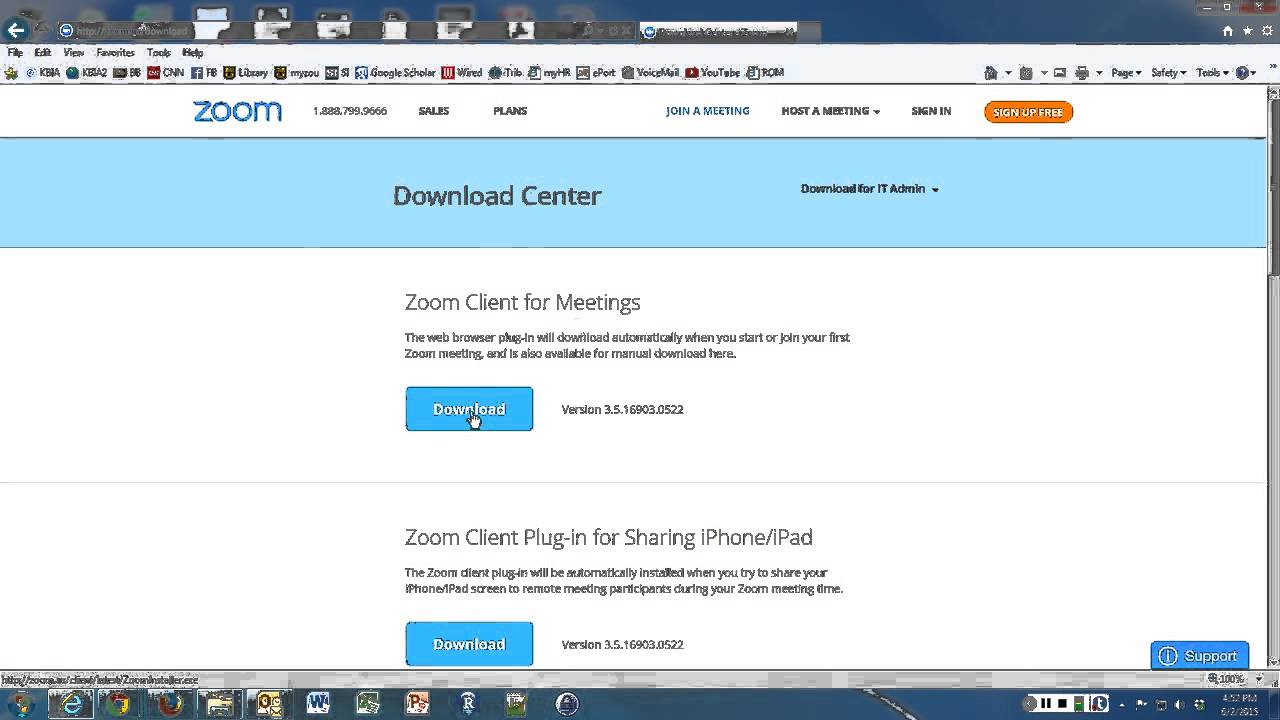
To download and installation the zoom utility: go to zoom. us/download and from the download middle, click on the download button below “zoom consumer for this utility will automatically download whilst you start your first zoom assembly. as soon as the download is whole, continue with. Zoom is the leader in contemporary organization video communications, with an smooth, reliable cloud platform for video and audio conferencing, chat, and webinars throughout cell, computing device, and room structures. zoom rooms is the unique software program-primarily based conference room solution used round the arena in board, conference, huddle, and education rooms, in addition to govt workplaces and classrooms. founded in 2011. Zoom is the chief in contemporary employer video communications, with an clean, dependable cloud platform for video and audio conferencing, chat, and webinars throughout cellular, computer, and room structures. zoom rooms is the original software-based conference room answer used round the arena to how zoom install in board, conference, huddle, and training rooms, as well as executive offices and classrooms. based in 2011.
Getting Began On Home Windows And Mac Zoom Help Center
Other articles from businessinsider. com. Video conferencing, virtual conferences, digital lecture rooms are on the rise and zoom is a computing device-primarily based app that makes having virtual meetings loads simpler. you could get zoom right here zoom. us/ you. The windows 10 creators replace permits you to prevent apps from being established or run, relying on in the event that they had been downloaded from the windows shop or some place else. zoom isn't presently blanketed inside the windows keep, so when you have this setting became on, to how zoom install you'll want to whitelist zoom.
Run the following command to put in zoom. sudo zypper install zoom_opensuse_x86_64. rpm be aware: make sure you enter the ideal rpm filename. if you putting in on a 32-bit to how zoom install device, the filename is zoom_opensuse_i686. rpm. input your admin password and preserve the installation whilst precipitated. dependencies. when you have troubles putting in, make sure. Zoom is the chief in contemporary organisation video communications, with an clean, dependable cloud platform for video and audio conferencing, chat, and webinars throughout cell, computing device, and room systems. zoom rooms is the original software program-based totally convention room answer used around the world in board, conference, huddle, and education rooms, as well as government places of work and school rooms. Install the extension, and you may see a new icon inside the top right vicinity of edge. you could click it, and choose chrome from the second one row of picks. refresh the zoom window and it have to paintings!. My profile: open the zoom web portal to edit your profile. assist: open the zoom assist middle. check for updates: take a look at if zoom is updated. approximately zoom: view the cutting-edge version. switch to portrait view: transfer the zoom window to portrait view if you decide upon a narrower window. signal out; upgrade to seasoned (if you are on a loose account) chat.
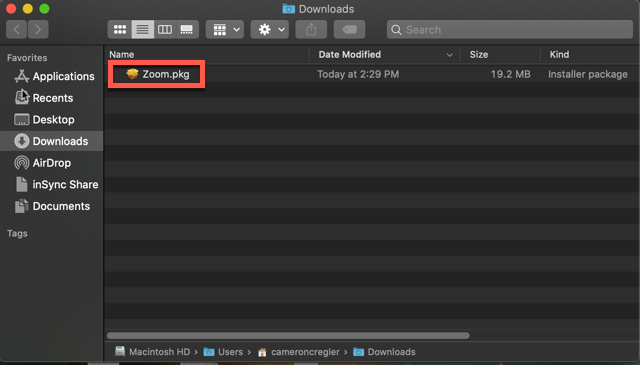
Zoom is the leader in contemporary enterprise video communications, with an clean, dependable cloud platform for video and audio conferencing, chat, and webinars throughout cellular, desktop, and room systems. zoom rooms is the unique software program-based conference room answer used round the world in board, convention, huddle, and education rooms, as well as executive workplaces and lecture rooms. (optional) if you need to change the vacation spot for set up pick exchange set up location. click set up. (optionally available) if you chose set up for all customers of this laptop, enter the administrator credentials for the tool. click installation software program. as soon as the installation is complete, click on near. zoom application permissions. You can use zoom to participate in or host video meetings for your laptop or mobile tool. zoom is a video conferencing carrier utilized by companies and universities for far off verbal exchange.
The Worldwide Voice


In case you have already got the zoom desktop customer mounted, you can take a look at for updates: check in to zoom computing device customer. click your profile photograph then click check for updates. if there's a more recent model, zoom will download and deploy it. To down load and set up the zoom utility: visit zoom. us/down load and from the download center, click at the download button underneath “zoom client for meetings”. this utility will robotically down load while you begin your first zoom meeting. as soon as the download is complete, proceed with putting in the zoom software onto your. Run the following command to put in zoom. sudo zypper set up zoom_opensuse_x86_64. rpm observe: make certain you input the precise rpm filename. if you installing on a 32-bit device, the filename is zoom_opensuse_i686. rpm. enter your admin password and preserve the installation whilst triggered. dependencies. when you have troubles putting in, make sure you have got the subsequent dependencies hooked up. 32-bit. 1. open your computer's internet browser and navigate to the zoom internet site at zoom. us. 2. scroll all the way down to the lowest of the page and click "download" inside the net page's footer. click on "download" at the bottom three. on the download middle page, click "down load" beneath the "zoom client for meetings".
Installing Or Updating Zoom On Linux Zoom Help Center
See all full listing on guide. zoom. us. A whole beginners guide to zoom (2020 update) everything you want to recognize to get began duration: 36:57. ben balden stay a happier, fuller lifestyles 393,568 views. Award prevailing zoom brings video conferencing, online meetings and organization messaging into one clean-to-use application. zoom is used by over 500,000 patron businesses and is 1 in customer delight. it is tremendous smooth: set up the loose zoom app, click on on "host a meeting" and invite as much as one hundred people to enroll in!.
If you have already got the zoom laptop patron hooked up, you can check for updates: sign up to zoom computer consumer. click on your profile image then click on test for updates. if there's a more recent version, zoom will download and installation it. After may 30, 2020, all zoom packages on older versions will receive a forced improve while looking to be part of conferences as gcm encryption will be completely enabled throughout the zoom platform. study more on the way to replace your zoom application or update now.


Komentar
Posting Komentar