To Windows Screen Record 10 How
The video recording device is part of the xbox app that comes mounted via default in home windows 10. xbox sport bar currently received a few most important updates to make it more useful, so you can now take. Pick what you want to record. to report the complete display, choose full screen from the ″report″ drop-down menu. select window if you just want to report use of a unmarried app. pick location in case you’d like to pick an area of the screen to document. to file your webcam, test the container at the bottom of the window that says ″file webcam. ″.
To file the whole screen, choose full screen from the ″document″ drop-down menu. pick out window in case you simply need to file use of a unmarried app. choose place if you’d like to select a place of the display screen to record. Approach 1: home windows integrated display recorder (via the xbox app) home windows 10 has a built-in screen recorder you could use without installing whatever greater. but, it’s handiest to be had when you have a graphics card with intel brief sync h. 260 (2011 models or later), nvidia nvenc (2012 models or later), or amd vce (2012 fashions or later except. Method 1: record display screen with the unfastened built-in windows 10 display recorder. you would possibly had been the usage of windows 10 for pretty a long time however haven’t regarded there’s a hidden characteristic that home windows 10 comes with a display screen recording function. you may set off it by using urgent win + g. this function is built into xbox. 1. how to document your display screen with the built-in feature on home windows 10 (home windows sport bar) one of the remarkable features of microsoft home windows 10 is that it capabilities many packages already protected with the working system. the good information is that home windows 10 has its very own integrated screen recorder so that you can file games (or whatever else).
Four Smooth Methods To Document Your Screen In Windows 10
How To Capture Videos In Windows10 Pcmag
There may be a type of hidden function within the home windows 10 which lets you video seize the display screen with the aid of only some clicks. to document display on home windows 10, do as follows: 1. open the app/software or the window/view you need to record the display screen (video seize) 2. press the home windows key and g both at the same. The display screen recording tool is mainly designed for gamers who need to document their gameplay videos. so, in this newsletter, we are going to to windows screen record 10 how percentage a operating approach that might help you to document home windows 10 displays effortlessly. so, let’s take a look at out how to document display in home windows 10 with out the usage of any software. To take a screenshot of only one window click on at the identify bar of the window that you want to seize. press “alt + prtscn”. a screenshot of your currently energetic window may be copied to the clipboard, just as within the closing section.
Although home windows 10 doesn't consist of an app designed specially to file or seize your display screen, the xbox recreation bar app capabilities an choice to capture gameplay, which additionally works to report apps. See more films for the way to report screen home windows 10. Windows10 has a mystery, built-in device meant to assist document your screen in the course of xbox gaming classes. but to windows screen record 10 how game bar also can be used with non-gaming apps. Windows10 has a secret display recording tool that may be used to capture on-screen hobby as a video use the snipping tool, or flip to one of the infinite display screen capture gear obtainable.
How to report your display screen in windows 10.
To start recording, click the start recording button (the circle with the black dot). alternatively, you can press home windows key + to windows screen record 10 how alt + r. you will now see a small recording icon in the top proper hand of your display screen. at any factor you can click the prevent button to stop recording, or you may press home windows key + alt + r again to forestall it. Short recording with windows 10 recreation bar. the use of the home windows 10 game bar may be a very short and convenient option for recording your display screen on windows 10. to get began, truely press the windows key + g key.

Efficient methods to record home windows 10 display screen 1 apowerrec (encouraged) this is a professional display recording software that runs well with any windows 10 devices. in recording your display with this device, there are various recording modes to pick out from. either you seize in complete display screen, or just select a certain portion to file. The display screen recorder is constructed into the game bar and you can nicely now not have visible it. in case you've ever puzzled a way to make video of what you are doing in windows, this is precisely the application you want. Home windows’ very own integrated display screen recording characteristic, game bar, is a short and simple way to document the content on your show. to begin recording, click at the ‘start recording’ button or keep down [windows]+ [alt]+ [r]. you could click ‘forestall recording’ or use equal keyboard shortcut while you’re carried out. Did you realize that home windows 10 comes with it's very own display recording software, which you may use to report your pc display pastime and gameplay. first off, it is important to say that the.
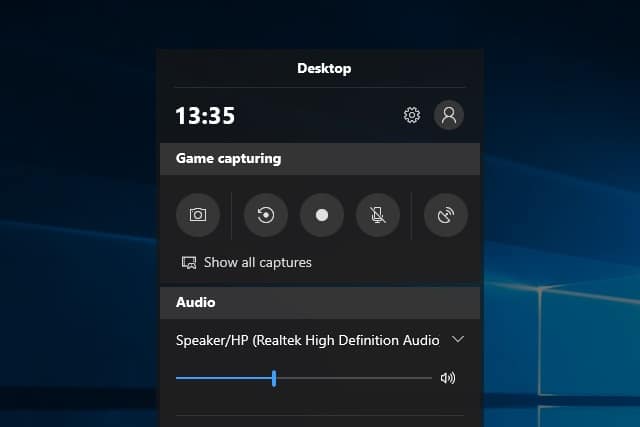
Open the game bar and click the settings icon. scroll down the settings display and check the container to "report in the heritage even as i'm playing a recreation. " now you will in no way miss the ultimate 30 seconds. Press the "windows + g" key to open the "game bar" and the gamebar will seem at the display screen with various tools like seize, audio, and performance. step three now, click on on the "start recording" button. (rather, the person also can to windows screen record 10 how begin the recording by way of urgent the "windows + alt + r" key). To record display screen, you want a display screen recorder, or display screen recording software program, or screen capture software program just distinctive names for the same device for taking screencasts, possibly with video editing functions. let’s take a look at out the eight fine loose and paid display recorders for home windows 10 and find the only that fits your wishes!.
Click on the file entire display or file decided on element button followed via the record button located on the right. step 7: when finished, navigate to the menu bar and click on the stop recording.
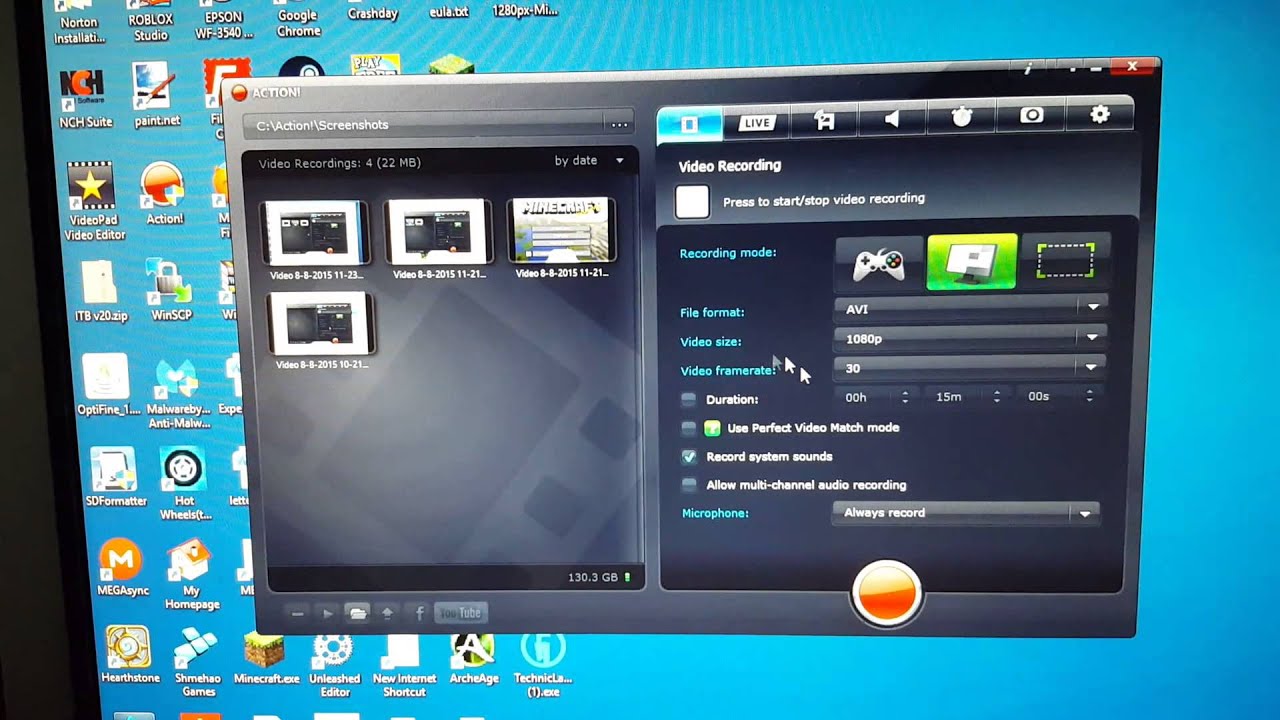
Fonepaw display recorder is a display and audio recorder that can file your display screen and voice on home windows 10/8/7 in high quality. it is utilized by many gamers and youtube video creators to report screen with audio and webcam. The use of the home windows 10 sport bar to display report home windows hobby is a better choice, to get started out you may visit the start menu seek container and type “sport bar” to locate the xbox sport bar or, you could be faster by the use of the shortcut keys windows key+g simultaneously. as you press, the game bar app seems. In case you selected window or full-display, it's going to simply seize the snip straight away. approach 3: use keyboard shortcuts with sport bar in home windows 10 home windows 10 ships with sport dvr talents to document gameplay photos and take screenshots of home windows computer games.
To set up a display seize, choose assets > + > window seize > create new. within the drop down list that appears, choose the window you need to document. this should region your window in the ‘preview’ panel. if it looks the way you need it to, click on transition in the center of the display. Report display screen in home windows 10 step 1: to start with, press “windows + g” and on the dialog field that looks, click on on “sure, this is a game“. step 2: with the aid of doing so, microsoft game bar could be displayed at the display screen which will file the screen and also take screenshots. step three: click on on “seize” to start recording your paintings on the display screen. to finish recording the display screen, once more click on. Step 1. to begin with to your windows 10, click on start and then type “ xbox app ” and then actually open the xbox app. file screen in home windows 10. step 2. now within the xbox app, you need to press a keys combination of your keyboard that is “ win+g ” this may be accomplished on the display which you want to document. Despite the fact that windows 10 does not include an app designed specifically to document or seize your screen, the xbox sport bar app functions an option to capture gameplay, which also works to file apps.


Komentar
Posting Komentar